
- Services
- Discovery & Intelligence Services
- Publication Support Services
- Sample Work

Publication Support Service
- Editing & Translation
-
Editing and Translation Services
- Sample Work

Editing and Translation Service
-
- Research Services
- Sample Work

Research Services
- Physician Writing
- Sample Work
Physician Writing Service
- Statistical Analyses
- Sample Work

Statistical Analyses
- Data Collection
- AI and ML Services
- Sample Work

AI and ML Services
- Medical Writing
- Sample Work
Medical Writing
- Research Impact
- Sample Work
Research Impact
- Medical & Scientific Communication
- Sample Work
Medical & Scientific Communication
- Medico Legal Services
- Educational Content
- Academic Editorial Services
- Sample Work
Academic Editorial Services
- Educational Editorial Service
-
Education Editorial Services
- Sample Work
Education Editorial Services
-
- Industries
- Subjects
- About Us
- Academy
- Insights
- Contact Us
Slide Deck Preparation for Conference Presentations: A Practical Guide for Researchers
- Home
- Academy
- Poster Preparation
- Slide Deck Preparation for Conference Presentations: A Practical Guide for Researchers
High-Impact Journals
Interesting topics
Slide Deck Preparation for Conference Presentations: A Practical Guide for Researchers
The act of preparing to give an academic presentation is an essential aspect of scholarly communication. A well-designed presentation (slide deck) is not only a summary of the writer’s manuscript but also a means of revising the complexity of the writer’s data into a visual narrative that is appropriate for a live audience. When slides are poorly designed, they can mask even the most significant findings; on the other hand, when slides are clearly designed, well-structured, and visually optimized, they promote audience engagement and help the audience retain knowledge, while enhancing the presenter’s professional credibility[1,2]. This guide will provide evidence-based methods to develop high-quality slide decks for conferences. For researchers seeking structured support in preparing a Conference presentation, applying systematic design principles can significantly enhance clarity and impact.
What is a Slide Deck?
A slide deck is a curated collection of digital slides (created in software like PowerPoint, Keynote, or Google Slides) used as a visual aid to support a presentation, pitch, or report. It organizes information into digestible, sequential, and visually engaging, images, charts, and text.
1. Define the Core Message
Prior to starting your presentation software, you must clarify the following three points:
- What is the most important point you wish for your audience to retain
- What problem, method, finding and implication would you wish to be conveyed as one cohesive narrative
- What type of audience will it be (i.e. specialist, interdisciplinary scholar, clinician, policy maker)
Cognitive Load Theory holds true that a person can only respond to a small volume of information at any one time[3], therefore, when you cram too much information into the slides, it creates a fall in the audience’s ability to comprehend the information being presented .
2. Structure the Presentation Logically
A well-structured conference slide deck typically follows a research storytelling format:

Research has shown that scientific presentations should have a narrative flow that helps keep audiences’ attention and allows them to easily comprehend the material presented.
Lead with the Story and Support with Slides
Your conference presentation isn’t just sharing information—it’s pitching a vision. You’re inviting the audience to believe in an idea and carry it forward, whether that means reimagining an organization’s future or seeing how your solution meets a real and pressing need.[4]
3. Apply Evidence-Based Slide Design Principles
Studies on multimedia have produced several effective principles of slide design (Mayer, 2009). The following are the four principles most applicable:
- Coherence Principle: Eliminate any graphics or text that are not related to the subject
- Signalling Principle: Visually emphasise key points
- Redundancy Principle: Do not read slide text word for word
- Modality Principle: Utilise both images and spoken words to explain content
The goal of a presentation is to provide supporting points rather than repeating information from the presentation. Many institutions now engage Academic presentation design services to ensure that these evidence-based principles are consistently applied across scholarly presentations.
4. Evidence-Based Slide Design Principles
Slide design should be based on established cognitive and multimedia learning theories, and as such should have clarity, visual hierarchy, and a reduction of cognitive load.
Principle | Practical Application |
Limit text | 5 to 6 lines on each slide using short phrases |
Use visuals | Use graphs or diagrams in place of text |
Maintain consistency | Using the same font and colour and the same layout will create uniformity |
High contrast | Use a dark (or black) font on a light background, or vice versa |
Avoid clutter | Only include 1 idea on each slide |
In complex research environments, Professional PowerPoint design services can assist in translating dense scientific material into visually coherent and audience-friendly slides.
5. Present Data Effectively
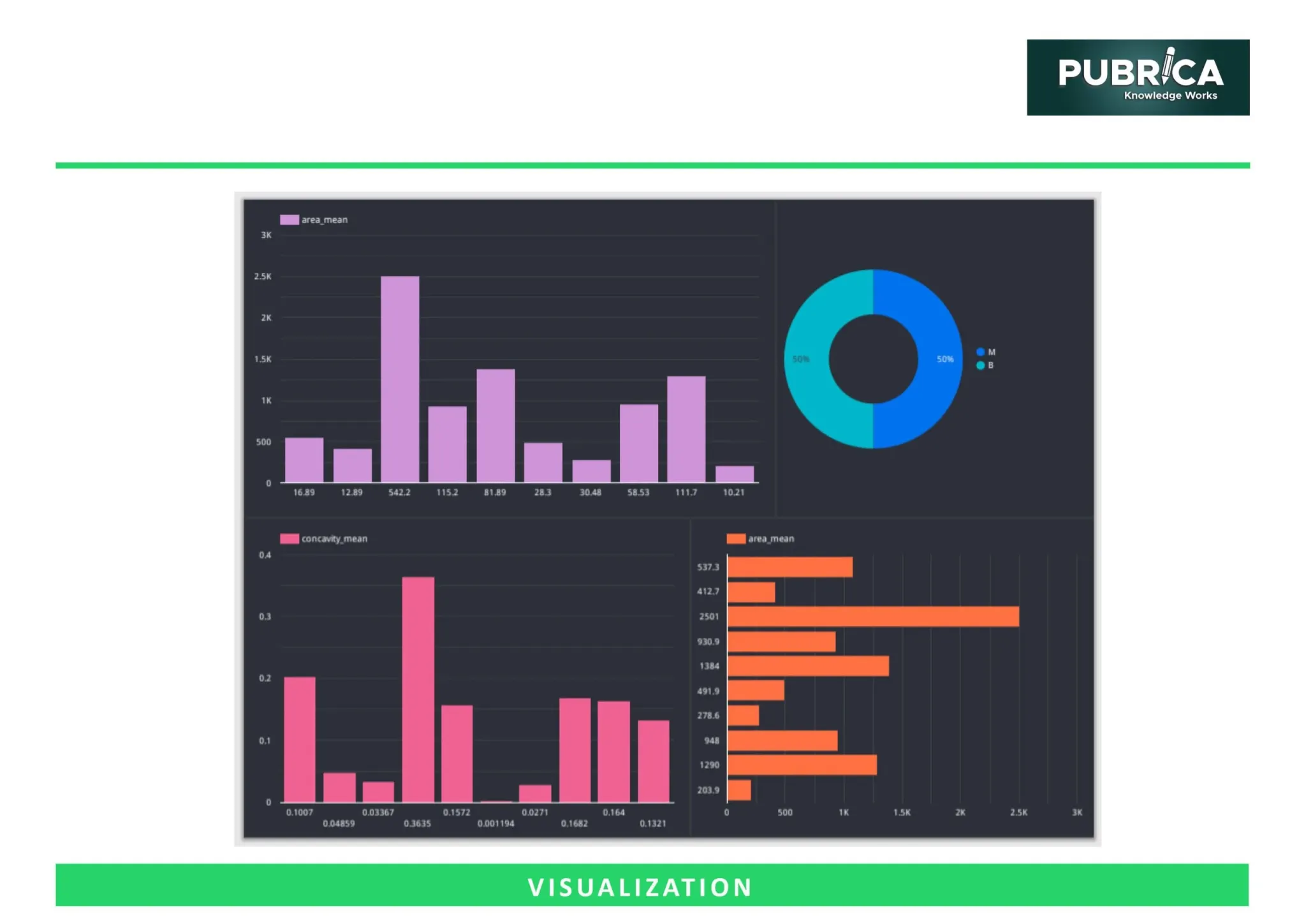
Scientific presentations rely heavily upon data visualization; for example, poor graphs can skew interpretation of information. Clear visual presentation improves accuracy and audience recall. To enhance the clarity, the following should be considered:
- Utilize simple bar charts or line graphs
- Label each axis clearly
- Avoid unnecessary 3-D effects within graphs
- Emphasize statistically significant results.
Include confidence intervals when applicable
PRO TIP: Overcrowding slides often results from attempting to present too much data. Prioritize findings directly aligned with your objective.
Specialized Research presentation slide design services are particularly valuable when complex datasets require precise and impactful visual representation.
6. Frequent Slide Deck Errors
Poor slide design leads to a lack of clarity and low engagement for an audience. The table below outlines the type of error, the resulting impact, and an acceptable solution for the error.
| Common Mistake | Impact | Recommended Fix |
| Overcrowded slides | Cognitive overload | Reduce to key points |
| Reading from slides | Loss of engagement | Use speaker notes |
| Tiny fonts | Poor visibility | ≥24 pt font |
| Excessive animations | Distraction | Minimal transitions |
| Unclear graphs | Misinterpretation | Simplify & label clearly |
PRO TIP: Ensure your slides are inclusive by using colourblind-friendly palettes, maintaining a minimum 24-point font size, adding alt-text in digital versions, and avoiding reliance solely on colour to convey meaning. Accessibility not only supports universal design principles but also enhances comprehension for diverse audiences.
To avoid such pitfalls, some researchers consult Conference presentation design services that focus specifically on optimizing slide clarity and audience engagement.
7. Tailor to Presentation Format
Adjustments must be made based on the format:
- Oral presentations should prioritise storytelling and visuals.
- Virtual presentations should have larger writing and have less detailed information per slide.
- Poster flash talks should highlight the most important figures and conclusions.
When in a virtual setting, it is necessary to increase the amount of clarity, since you will not receive as much non-verbal response. For high-stakes events, Scientific presentation consulting services can provide strategic guidance tailored to specific academic or clinical audiences.[5]
8. Final Slide Strategy
Your last slide is not just another formality; it will be your final impression on your audience. End your presentation with:
- 2-3 Specific Take Home Messages that your audience will remember.
- See implications (clinical/research) that show relevance.
- Next Steps, signal, and how to create an opportunity.
- Your contact information (QR is the best) so you can continue to communicate with your attendees.
Generally, people tend to remember what they have heard in the beginning and the end of an address – this is called the Primacy-Recency Effect. Accordingly, you should make a purposeful, unforgettable, and clear conclusion regarding the major contribution of your study. [6]
Connect with us to explore how we can support you in maintaining academic integrity and enhancing the visibility of your research across the world!
Conclusion
Creating an ideal conference slide presentation requires the application of cognitive psychology principles, elements of visual design, and principles of structuring a story. Researchers can engage their audience more fully and achieve greater transfer of knowledge by reducing cognitive load using effective visualizations, clearly visualizing data, providing accessibility to the material, and utilizing strategic rehearsal techniques. Using these techniques, researchers will not only effectively share the results of their research but will also improve their academic reputation and foster collaborative opportunities.
Your research deserves a standout slide deck—work with Pubrica and present with confidence. [Get Expert Publishing Support] or [Schedule a Free Consultation]
References
- Alley, M., & Neeley, K. (2005). Rethinking the Design of Presentation Slides: A Case for Sentence Headlines and Visual Evidence. Technical Communication, 52, 417–426. https://homepages.iitb.ac.in/
- Mayer, R. E. (2009). Multimedia Learning(2nd ed.). Cambridge University Press. https://doi.org/10.1017/CBO97805118
- Sweller, J. (1988). Cognitive load during problem solving: Effects on learning. Cognitive Science, 12(2), 257–285. https://doi.org/10.1016/0364-0213(88)90023-7
- Slide Deck preparation – FAIR-by-Design Training of Trainers. Github.Io. Retrieved February 11, 2026, from https://fair-by-design-methodology.github.io/FAIR-by-Design_ToT/latest/Stage%204%20%
- Prepare great slide decks for presentations. (n.d.). Developer-advocacy.com. Retrieved February 11, 2026, from https://developer-advocacy.com/prepare
- Ekeruke, U. (2025, April 25). How to create a slide deck: Templates & tips. Visme Blog; Visme. https://visme.co/blog/slide-deck/